100% Private
Works Offline
No Cloud

Make screen recordings
worth sharing.

Record or upload a video, cut it fast, add subtitles, motion, backgrounds, and export something polished without leaving your browser.

Start Recording
Recorded on your phone?

Private and local-first. No install. Start free in seconds. Upgrade once for clean exports. No subscription.

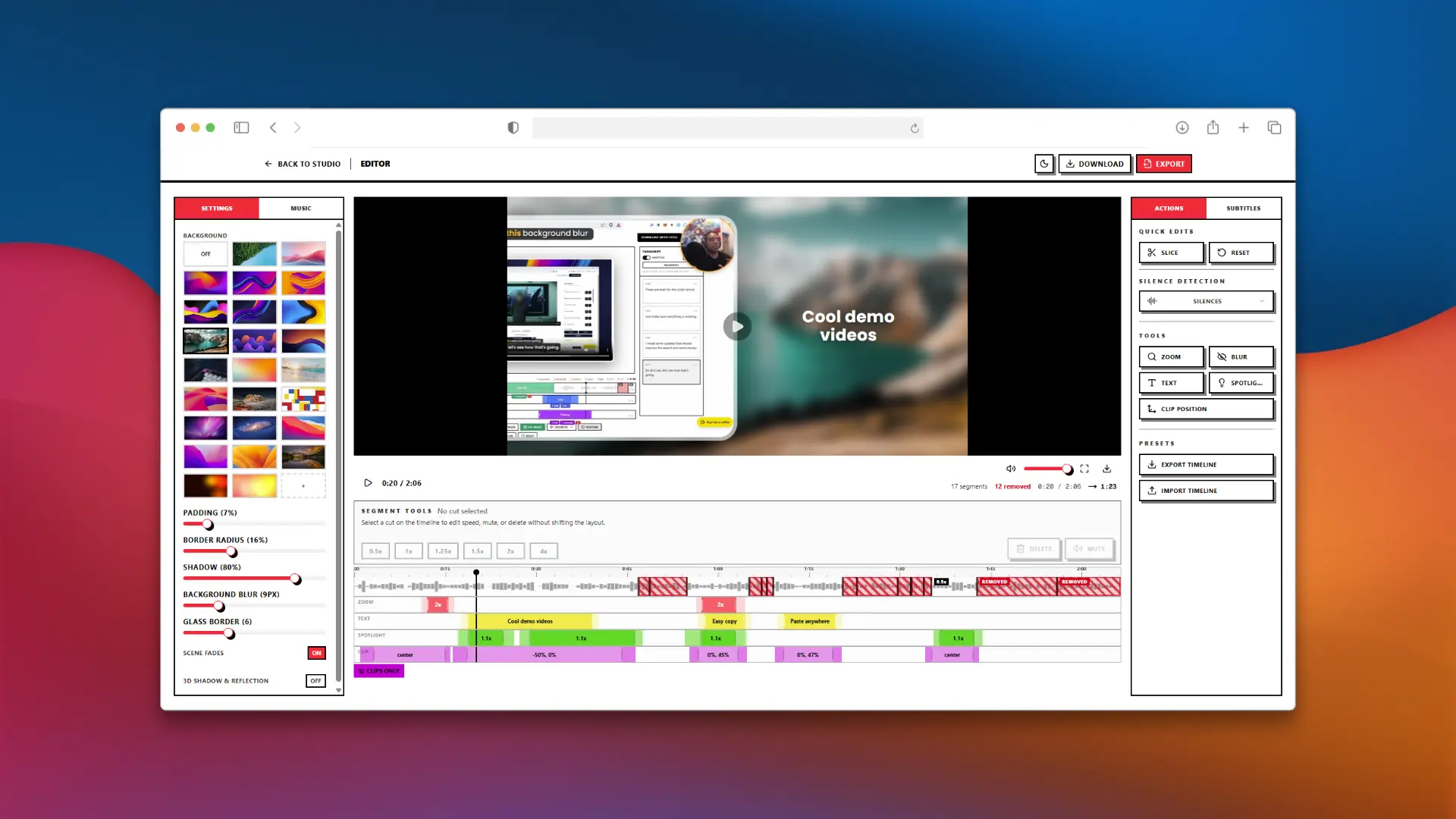
ScreenSlick editor

Pick a background, set the mood

Gradients, dynamic wallpapers, padding, glass borders, and 3D perspective. One click to go from raw capture to polished asset.

ScreenSlick editor interface

Best for

Product demos

Turn rough walkthroughs into launch-ready demos with zooms, animated text, camera layouts, and clean framing.

Zoom Keyframes
11+ Backgrounds
Perspective Camera
Screenshot Studio output example

Tutorials and explainers

Trim the dead air, add AI subtitles or voiceover, and keep every step easy to follow.

Word-Level Timestamps
11 AI Voices
Cut & Trim

From raw recording
to polished asset fast.

ScreenSlick is built for the part after record: cleanup, styling, reframing, and export.

Built-in AI

SUBTITLES,
VOICEOVER, BUILT IN.

Generate subtitles and narration without sending your footage into someone else's editing workflow. Tweak every line, style the text, and keep the pacing on-brand.

Word-Level Timestamps
100+ Languages
11 AI Voices
100% Local
AI voiceover and subtitles in the editor

EDIT THE BORING
KEEP THE GOOD PARTS.

Cut silences, trim sections, add motion, blur sensitive details, change speed, and punch in on the moments that matter. Built for fast polish, not timeline suffering.

Cut & Trim
Zoom Keyframes
Privacy Blur
Per-Segment Speed
GIFGIF Export

START WITH A RECORDING.
OR START FROM AN UPLOAD.

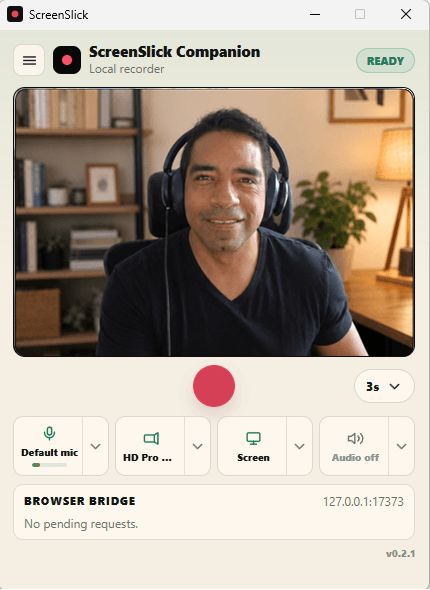
Capture screen, camera, or both. Or bring in an existing video and skip recording entirely. However you start, ScreenSlick gives you the same editing and styling workflow.

Screen Only
Camera Only
MP4 Export

TURN ANY FRAME
INTO A HERO SHOT.

Snap a frame from your video, then restyle it in Screenshot Studio with perspective, zoom, depth of field, backgrounds, shadows, and glass borders.

One-Click Snap
Depth of Field
Perspective Camera

ADD MUSIC THAT
ACTUALLY FITS THE EDIT.

Drop in a track, detect the beats, and line up cuts, text, and clip moments with the rhythm instead of hand-timing everything.

Background Music
Beat Detection
Smart Sync

PRIVATE BY DEFAULT.
YOUR FOOTAGE STAYS LOCAL.
YOUR BROWSER DOES THE WORK.

Recording, editing, subtitles, and export happen on your device. No forced upload step. No cloud video pipeline between you and your file.

Indie tool · Early pricing

Built by a maker, for makers.

Grab your lifetime license
before the price goes up.

ScreenSlick is built and used daily by one indie developer. The first 50 lifetime licenses are locked at the early bird price - once they're claimed, the price doubles.

Free
$0forever
  • Record or upload videos
  • Full editor with cuts, text, zoom, blur, and backgrounds
  • AI subtitles and AI voiceover
  • Screenshots, GIFs, and all visual effects
  • Export with watermark
Start Free
Early Bird
Pro - Lifetime
$29.99$59.99

One payment. Lifetime clean exports.

  • Everything in Free
  • Watermark-free exports and screenshots
  • Every current feature plus future updates
  • Priority support when you need help
1 of 50 claimed49 left

One payment. Yours forever. All future updates included.

FAQ

Questions before you record?
Here’s the quick version.

Everything happens fast, locally, and in the browser, so most questions come down to privacy, workflow, and what you can ship without another editor.

Ready to make
better screen videos?

Record a new demo or upload one you already have. Then make it look like you meant it.